
Rolling forecasts and driver-based models, on live client data
Most models do not die of bad assumptions. They die of maintenance: exporting the trial balance, pasting it into the actuals tab, repairing whatever moved, re-checking the formulas. Do that across nine clients and the model becomes a thing you rebuild rather than a thing you use.
Alpyne wires the model to the ledger, so the month closes and the model is already current. Then it does the structural work around it.
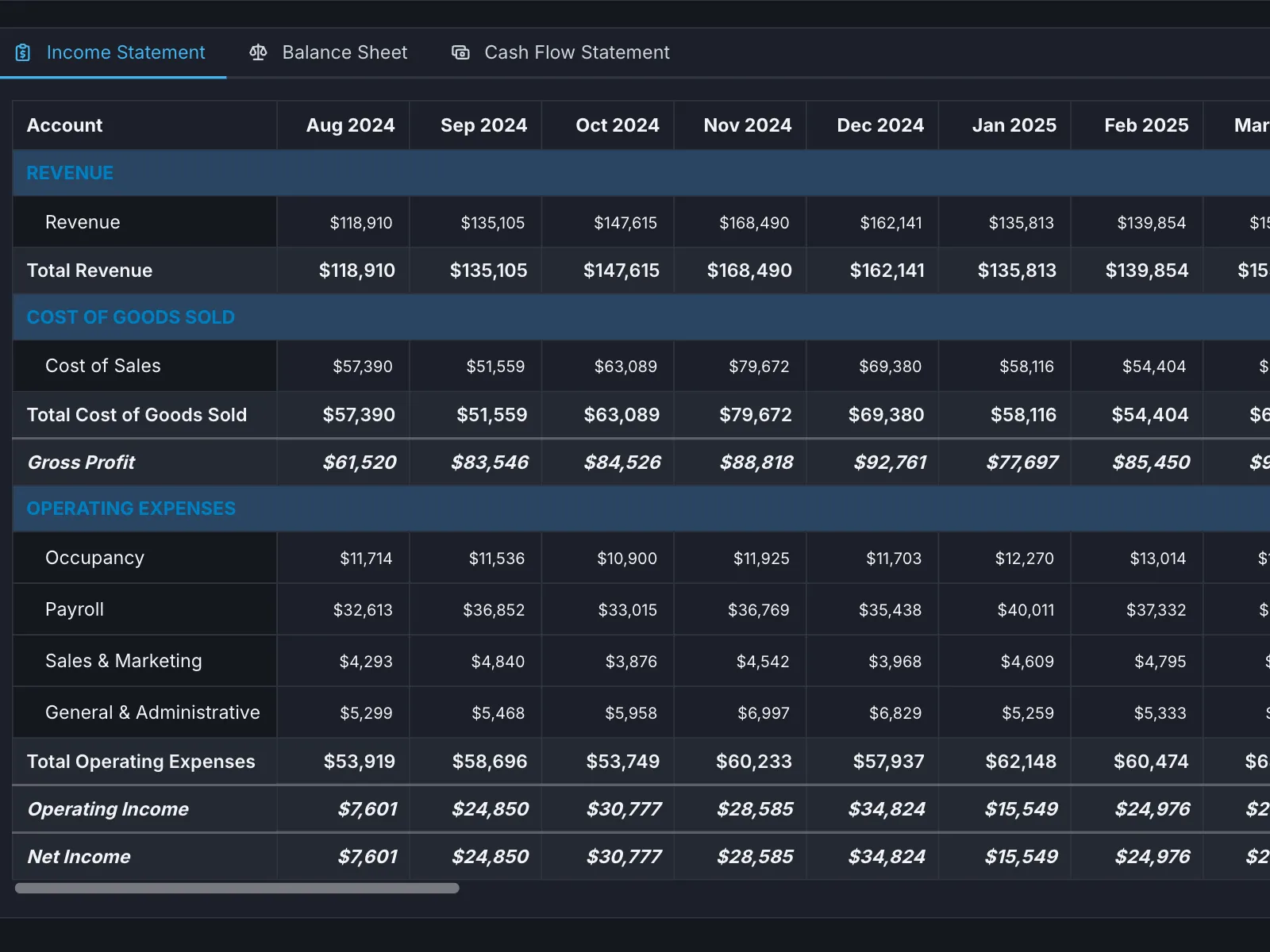
Three steps, and the first one is the one that matters.
- 01
Conform
The client’s books are mapped to a standard structure, so the model is built on something consistent.
- 02
Model
Drivers and schedules, by hand where it matters and from a pattern where it does not.
- 03
Roll
Actuals land as the month closes. The forecast rolls forward without being rebuilt.
Conforming is first because everything above it depends on each client’s books meaning the same thing. How the layers fit together →
The parts, specifically.
- Actuals update themselves
- No export, no paste, no repairing the rows that moved. This is the single thing that stops a model going stale in month three.
- Driver-based models
- Build the drivers once and the plan responds to the business rather than to a spreadsheet full of hard-coded numbers. Reusable across clients with the same shape.
- Rolling thirteen-week cash
- Updating from live ledger data, which is the forecast a client in a tight quarter actually asks for.
- Model by hand, or let the system do it
- Per element, not per model. Drive revenue off a library of model patterns and build the one awkward client-specific schedule yourself, or the reverse.
- The structure comes free
- You do not build the three statements, the roll-forwards or the summaries. The system assembles them from the elements, so the work is the assumptions rather than the plumbing.
- Scenarios as snapshots
- Take a snapshot and model the other version: the hire, the raise, the price increase, the downside. Side by side, rather than six copies of a workbook with the date in the filename.
- Hybrid with your spreadsheet
- Two-way sync to Excel or Google Sheets. A model you already trust stays yours, and the data arrives on its own.
Questions people ask
- What is driver-based financial modeling?
Building a forecast from the operating drivers that actually move the business — headcount, pipeline, units, price — rather than from hard-coded numbers typed into a grid. The payoff is that when a driver changes, the whole plan responds, and you can explain why a number moved.
- What is the best rolling forecast software for small clients?
For a small client the deciding factor is usually maintenance cost rather than modelling depth, because the fee will not support ten hours a month of upkeep. Look for forecasts that update from live accounting data without a manual actuals step, and for pricing that works at the small end of your roster.
- How do I build a forecast that syncs to Google Sheets?
In Alpyne the model and the sheet run alongside each other with two-way sync, so conformed data lands in your workbook on a schedule and changes flow back. Your formulas, structure and tabs stay as they are.
- Do forecasts in Alpyne predict actual results?
No, and no forecast does. A model is a structured statement of what follows if a set of assumptions holds. Its value is that the assumptions are explicit and the arithmetic is right, so when reality diverges you can see which assumption was wrong.
Next: How modelling works in the platform · Client dashboards · The analyst beside the model
Try it on one client.
Connect the books you know best and judge it against what you would have done yourself.
Start a 14-day trial