
Connect every client's systems in one click.
Each integration connects through the provider's own sign-in and feeds Alpyne's conformed layer, so a new client's data arrives standardized as well as synced.
Integrations that do more than connect.
- Connecting is the easy half
- Plenty of tools integrate in the thin sense: they pull the data in and leave it in whatever shape it arrived. Twelve clients then means twelve shapes.
- Every connection feeds one layer
- Each integration feeds the conformed layer that maps a client’s data into your practice’s structure. What happens after the connection is the product.
- Named systems, no big number
- The supported systems are named below. Coverage of your clients’ stack is the only count that matters.
The systems your clients already run.
Accounting
- QuickBooks Online
- QuickBooks Desktop
- Xero
- NetSuite
- Sage Intacct
- Zoho
- COUNT
Commerce and billing
- Stripe
- Shopify
- Chargebee
CRM
- Salesforce
- HubSpot
- Copper
Marketing
- Google Analytics
- Google Ads
Banking
- Plaid
Read-only: transactions, balances and asset reports. Nothing writes back to the bank.
Your own data
- Spreadsheet sync
- MCP
Anything not connected directly can come in through a synced workbook or your own source over MCP.
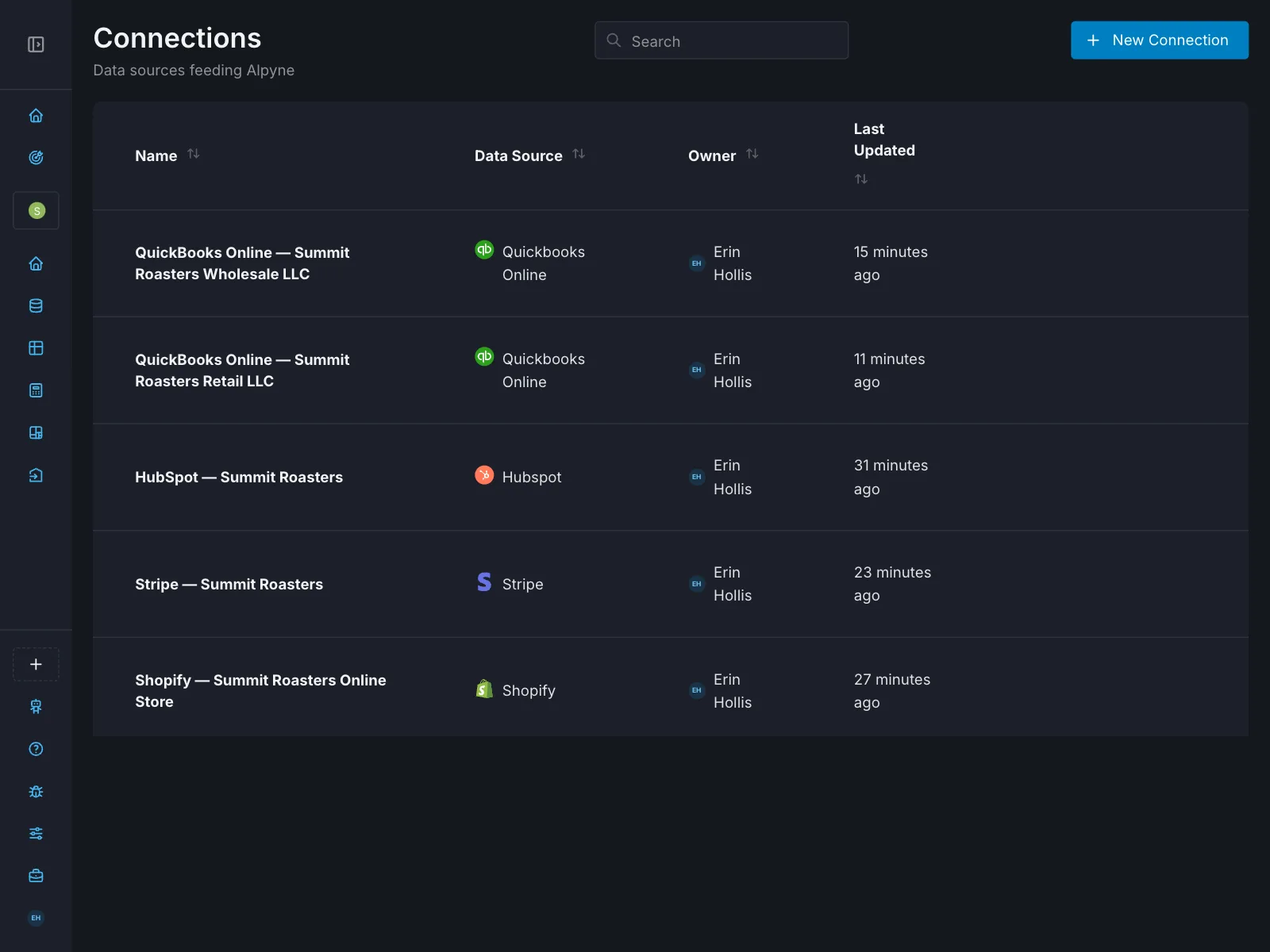
What each connection brings in.
- QuickBooks
Connect a client’s QuickBooks Online in one click. Alpyne pulls the general ledger and conforms their chart of accounts into your standard structure.
- Xero
A full ledger connection with the same conforming treatment, so a Xero client and a QuickBooks client are comparable in one view.
- NetSuite
For clients who have moved upmarket: entities and dimensions conformed alongside your smaller clients’ books.
- Stripe
Charges, fees and payouts from the source, in the same structure as the ledger, so revenue reporting does not live in a separate spreadsheet.
- Shopify
Order and sales data for ecommerce clients, conformed so storefront revenue reconciles to the ledger.
- Salesforce
Pipeline and customer data next to the financials, for forecasts that need bookings as well as billings.
- HubSpot
Deal and customer context connected the same way, beside the numbers.
How a connection works.
Authorization
You or your client authorize access through the source system’s own sign-in and consent screen. Nobody hands over a client’s login, and your team never needs it.
Initial pull and conforming
Alpyne retrieves the data and maps it into your practice’s standard structure, so a new client’s books are comparable with the rest of your roster from the first day.
Ongoing sync
The connection stays live. New transactions and new accounts flow through, so the conformed layer tracks the source. A connection can be reviewed and revoked at any time.
Spreadsheets: where the data goes next.
Alpyne syncs both ways with Excel and Google Sheets. A model you already trust stays yours, and the conformed data underneath it arrives on its own. For most practices the spreadsheet is still what clients and boards open, and the weak link was always the manual paste feeding it.
Questions people ask
- Which systems does Alpyne integrate with?
QuickBooks Online and Desktop, Xero, NetSuite, Sage Intacct, Zoho and COUNT for accounting. Stripe, Shopify and Chargebee for commerce and billing. Salesforce, HubSpot and Copper for CRM. Google Analytics and Google Ads. Bank and card data comes through Plaid, read-only.
- What if a client uses a system that is not listed?
The list on this page is what is supported today. Data from anything else can still come in through a synced workbook or over MCP.
- How long does connecting a client take?
One authorization per system. Alpyne then pulls and conforms the data on its own.
- What does conforming do to the data after connection?
It maps each client’s native accounts into your practice’s standard structure. The client’s own ledger is not rewritten; the conformed layer sits on top of it.
- Does Alpyne write to the connected systems?
Only to QuickBooks and Xero, and only when an authorized user starts an action or a firm has turned on an automation such as syncing Stripe or Shopify activity into the ledger. Bank connections are read-only.
- Can I try the integrations before buying?
Yes. Every account starts with a 14-day trial.
Connect a real client and see conformed data today.
One click to connect. One clean layer on the other side.
Start a 14-day trial